Build a Full-Stack App with SvelteKit + Cloudflare D1 for Free
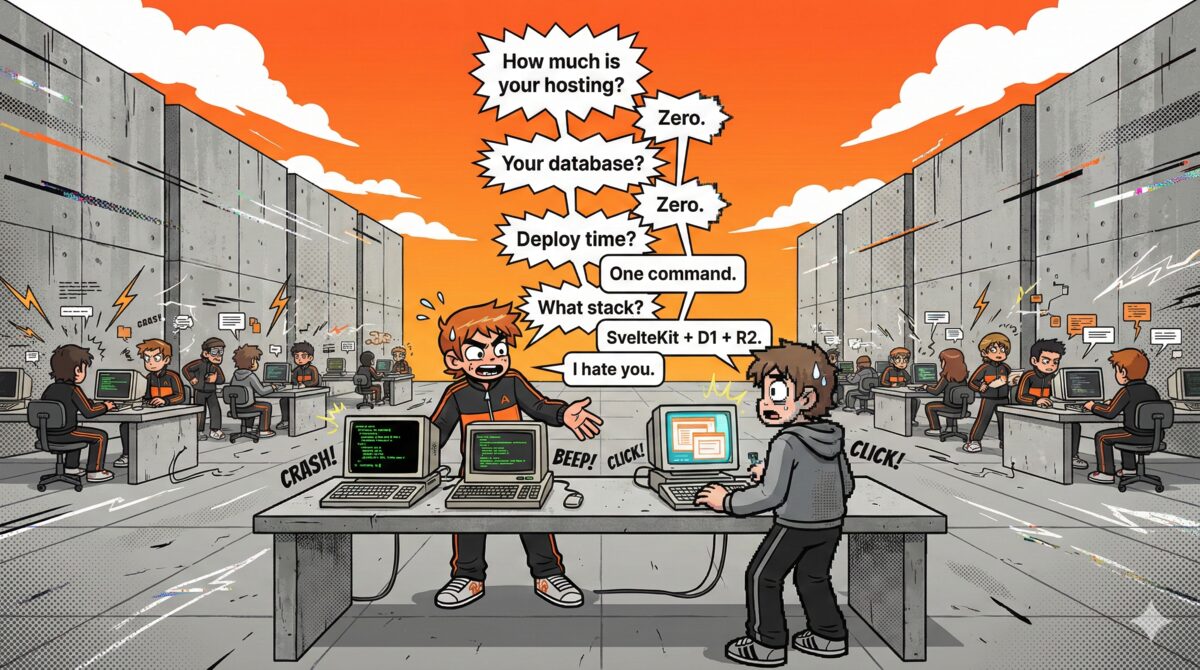
You have an idea for a web app. You want a modern frontend, a real database, file storage, and global deployment. Sounds expensive? It's not. With SvelteKit, Cloudflare D1, Cloudflare R2, and a $14 domain, you can ship a production-ready full-stack app — for free.
Full-stack apps cost $25-75/month on AWS — Cloudflare gives you the same stack for $0, and this tutorial shows you how in 10 steps.
TL;DR — What you'll build
| Stack | SvelteKit + Cloudflare Workers + D1 (SQLite) + R2 (file storage) |
| App | A bookmarks manager with full CRUD, file uploads, and global deployment |
| Cost | $0/month — only a ~$14/year domain. Cloudflare free tier covers compute, database, storage, CDN, and SSL |
| Steps | 10 steps from npx sv create to production deployment |
| Browse data | Use MyD1 to visually browse, query, and manage your D1 database |
In this guide, we'll build a small bookmarks manager from scratch. By the end, you'll have:
- A SvelteKit app running on Cloudflare Workers (free tier)
- A D1 SQLite database storing your data at the edge
- R2 object storage for file uploads
- Everything deployed globally — and you can browse your database visually with MyD1
What you'll need
- Node.js 18+ —
node -vto check - A Cloudflare account — free at cloudflare.com
- A domain name — about $14/year on Cloudflare Registrar or Namecheap
That's it. No credit card required for any Cloudflare service we'll use.
Wait — how is this actually free?
Let's do the math. Here's what you'd pay for the same stack on AWS or Vercel:
| What you need | AWS / Vercel | Cloudflare |
|---|---|---|
| Compute (SSR) | Lambda + API Gateway: ~$5–30/mo | Free 100K requests/day |
| Database | RDS or PlanetScale: ~$15–30/mo | Free 5M reads, 100K writes/day |
| File storage | S3: ~$2–5/mo | Free 10GB, 10M reads/mo |
| CDN + SSL | CloudFront: ~$1–10/mo | Free automatic, global |
| Domain | ~$14/year | ~$14/year |
| Monthly total | $25–75/mo | $0/mo |
| Year 1 total | $300–900+ | $14 |
What's included in Cloudflare's free tier
This isn't a crippled "try it for 14 days" free tier. These are permanent, no-credit-card-required limits (per Cloudflare's pricing page):
| Service | Free tier limits | Enough for |
|---|---|---|
| Workers compute | 100K requests/day, 10ms CPU/req | ~3M pageviews/mo |
| D1 database | 5M reads/day, 100K writes/day, 5GB | SaaS apps < 10K users |
| R2 storage | 10GB, 10M reads/mo, 1M writes/mo | Thousands of files |
| KV cache | 100K reads/day, 1K writes/day | Sessions, feature flags |
| Workers AI | 10,000 neurons/day | AI features in your app |
| Queues | 10,000 operations/day | Background jobs |
To put this in perspective: 100,000 requests per day means ~70 requests per minute, every minute, 24/7. Most indie projects and early-stage startups never come close.
And when you outgrow the free tier?
The paid plan is $5/month. Five dollars. That gives you:
- 30s CPU time per request (instead of 10ms)
- Unlimited D1 reads/writes (pay-as-you-go beyond included)
- 6 concurrent build slots
- 7-day log retention
- Containers, Logpush, and more
Compare that to AWS where scaling from free tier to production often means a 10x–50x price jump. On Cloudflare, it's $0 → $5. That's it.
The real cost of this tutorial
| Item | Cost |
|---|---|
| SvelteKit | Free (open source) |
| Cloudflare Workers | Free |
| Cloudflare D1 | Free |
| Cloudflare R2 | Free |
| SSL certificate | Free (automatic) |
| Global CDN | Free (automatic) |
| DDoS protection | Free (automatic) |
| Domain name | ~$14/year |
| Total to launch | ~$14 |
There has never been a cheaper time to ship a real product. Let's build it.
Step 1 — Create the SvelteKit project
Open your terminal and scaffold a new project:
npx sv create bookmarks-app
cd bookmarks-app
npm install
When prompted, pick the defaults — SvelteKit minimal, TypeScript optional (we'll use plain JS here for simplicity).
Add the Cloudflare adapter:
npm install -D @sveltejs/adapter-cloudflareUpdate svelte.config.js to use it:
import adapter from '@sveltejs/adapter-cloudflare';

export default {
  kit: {
    adapter: adapter()
  }
};
Step 2 — Create the D1 database
Install Wrangler (Cloudflare's CLI) and log in:
npm install -D wrangler
npx wrangler login
Create a D1 database:
npx wrangler d1 create bookmarks-dbThis outputs a database ID — copy it. Create a wrangler.toml at the project root:
name = "bookmarks-app"
compatibility_date = "2025-01-01"

[[d1_databases]]
binding = "DB"
database_name = "bookmarks-db"
database_id = "your-database-id-here"
Now create your schema. Make a file schema.sql:
CREATE TABLE IF NOT EXISTS bookmarks (
  id INTEGER PRIMARY KEY AUTOINCREMENT,
  url TEXT NOT NULL,
  title TEXT NOT NULL,
  description TEXT DEFAULT '',
  tags TEXT DEFAULT '',
  created_at TEXT DEFAULT (datetime('now')),
  updated_at TEXT DEFAULT (datetime('now'))
);

CREATE INDEX idx_bookmarks_created ON bookmarks(created_at DESC);
Apply it locally first:
npx wrangler d1 execute bookmarks-db --local --file=schema.sqlStep 3 — Set up R2 storage
Add R2 to your wrangler.toml:
[[r2_buckets]]
binding = "R2"
bucket_name = "bookmarks-uploads"
Create the bucket:
npx wrangler r2 bucket create bookmarks-uploadsThat's it — R2 is ready. We'll use it to store favicon screenshots of bookmarked URLs.
Step 4 — Access D1 and R2 in SvelteKit
In SvelteKit, Cloudflare bindings are available through platform.env. Create src/app.d.ts (or update it if it already exists) for type hints:
declare global {
  namespace App {
    interface Platform {
      env: {
        DB: D1Database;
        R2: R2Bucket;
      };
    }
  }
}
export {};
Now you can use platform.env.DB and platform.env.R2 in any +page.server.js or +server.js file.
Step 5 — Build the bookmarks API
Create src/routes/+page.server.js — this loads all bookmarks and handles adding new ones:
export async function load({ platform }) {
  const db = platform.env.DB;

  const { results } = await db
    .prepare('SELECT * FROM bookmarks ORDER BY created_at DESC')
    .all();

  return { bookmarks: results };
}

export const actions = {
  add: async ({ request, platform }) => {
    const db = platform.env.DB;
    const data = await request.formData();

    const url = data.get('url');
    const title = data.get('title');
    const description = data.get('description') || '';
    const tags = data.get('tags') || '';

    await db
      .prepare(
        'INSERT INTO bookmarks (url, title, description, tags) VALUES (?, ?, ?, ?)'
      )
      .bind(url, title, description, tags)
      .run();

    return { success: true };
  },

  delete: async ({ request, platform }) => {
    const db = platform.env.DB;
    const data = await request.formData();
    const id = data.get('id');

    await db
      .prepare('DELETE FROM bookmarks WHERE id = ?')
      .bind(id)
      .run();

    return { success: true };
  }
};
Step 6 — Build the UI
Create src/routes/+page.svelte:
<script>
  let { data } = $props();
</script>

<h1>My Bookmarks</h1>

<!-- Add bookmark form -->
<form method="POST" action="?/add">
  <input name="url" placeholder="https://..." required />
  <input name="title" placeholder="Title" required />
  <input name="description" placeholder="Description" />
  <input name="tags" placeholder="Tags (comma separated)" />
  <button type="submit">Add Bookmark</button>
</form>

<!-- Bookmarks list -->
{#each data.bookmarks as bookmark}
  <div class="bookmark">
    <a href={bookmark.url} target="_blank">
      {bookmark.title}
    </a>
    <p>{bookmark.description}</p>
    <small>{bookmark.tags}</small>
    <form method="POST" action="?/delete">
      <input type="hidden" name="id" value={bookmark.id} />
      <button type="submit">Delete</button>
    </form>
  </div>
{/each}
This is a fully functional CRUD app using SvelteKit form actions — no client-side JavaScript needed for the core functionality. Progressive enhancement at its best.
Step 7 — Upload files to R2
Let's add a file upload endpoint. Create src/routes/api/upload/+server.js:
export async function POST({ request, platform }) {
  const r2 = platform.env.R2;
  const formData = await request.formData();
  const file = formData.get('file');

  if (!file) {
    return new Response('No file', { status: 400 });
  }

  const key = Date.now() + '-' + file.name;
  await r2.put(key, file.stream(), {
    httpMetadata: { contentType: file.type }
  });

  return Response.json({ key, url: '/api/file/' + key });
}
And a route to serve files from R2. Create src/routes/api/file/[key]/+server.js:
export async function GET({ params, platform }) {
  const object = await platform.env.R2.get(params.key);

  if (!object) {
    return new Response('Not found', { status: 404 });
  }

  return new Response(object.body, {
    headers: {
      'Content-Type': object.httpMetadata?.contentType || 'application/octet-stream',
      'Cache-Control': 'public, max-age=31536000'
    }
  });
}
Step 8 — Test locally
Here's the magic — Wrangler can emulate D1 and R2 locally:
npx wrangler devThis starts your SvelteKit app with real D1 and R2 bindings — all running locally on your machine. Add some bookmarks, upload a file, see it all working. The local D1 database is stored in .wrangler/state/.
Step 9 — Deploy to Cloudflare
First, apply the schema to your production D1 database:
npx wrangler d1 execute bookmarks-db --remote --file=schema.sqlThen deploy:
npx wrangler deployThat's it. Your app is now live on Cloudflare's global network. Point your domain to it in the Cloudflare dashboard under Workers & Pages → Custom Domains.
Step 10 — Browse your database with MyD1
Your app is deployed, data is flowing into D1. But how do you actually see what's in there? Running wrangler d1 execute queries in the terminal gets old fast.
This is where MyD1 comes in. It's a native macOS app that connects directly to your Cloudflare D1 databases.
Connect in 30 seconds:
- Open MyD1
- Paste your Cloudflare API token (create one at dash.cloudflare.com with D1 read/write permissions)
- Your databases appear instantly — click
bookmarks-db
Now you can:
- Browse tables — see all your bookmarks in a spreadsheet-like grid
- Run SQL queries — with syntax highlighting and autocomplete
- Ask the AI Agent — type a question in plain English like "show bookmarks added this week" and MyD1's AI Agent writes the SQL, optimizes queries, and surfaces insights you'd miss manually
- Edit data inline — click a cell, change the value, done
- Export to CSV/JSON — one click
- Inspect schema — columns, types, indexes, all visible
No more terminal gymnastics. No more copy-pasting JSON from wrangler output. Just open MyD1 and see your data.
The full stack — recap
| Layer | Technology | Cost |
|---|---|---|
| Frontend + SSR | SvelteKit on Cloudflare Workers | Free |
| Database | Cloudflare D1 (SQLite at the edge) | Free |
| File storage | Cloudflare R2 | Free |
| Domain | Any registrar | ~$14/year |
| Database GUI | MyD1 | Free / Pro |
| Hosting, CDN, SSL | Cloudflare (automatic) | Free |
No AWS bills. No Vercel bandwidth limits. No Docker containers. No database servers to maintain. Just code, deploy, and it's live — globally.
Going further
From here, you can:
- Add authentication with Cloudflare Access or a simple cookie-based auth
- Use Drizzle ORM for type-safe queries instead of raw SQL
- Add full-text search — D1 supports SQLite FTS5
- Set up a cron trigger with Workers Cron to run scheduled tasks
- Add KV for caching frequently accessed data
The Cloudflare ecosystem gives you everything a backend needs — for free at small scale, and very cheap as you grow. And with MyD1, you always have a clear window into your data.
Download MyD1 and connect to your first D1 database in under a minute.
Related: Getting Started with D1 · D1 vs MySQL vs PostgreSQL · Cloudflare vs Vercel